

9.2out of 10
Editor's Choice 2026
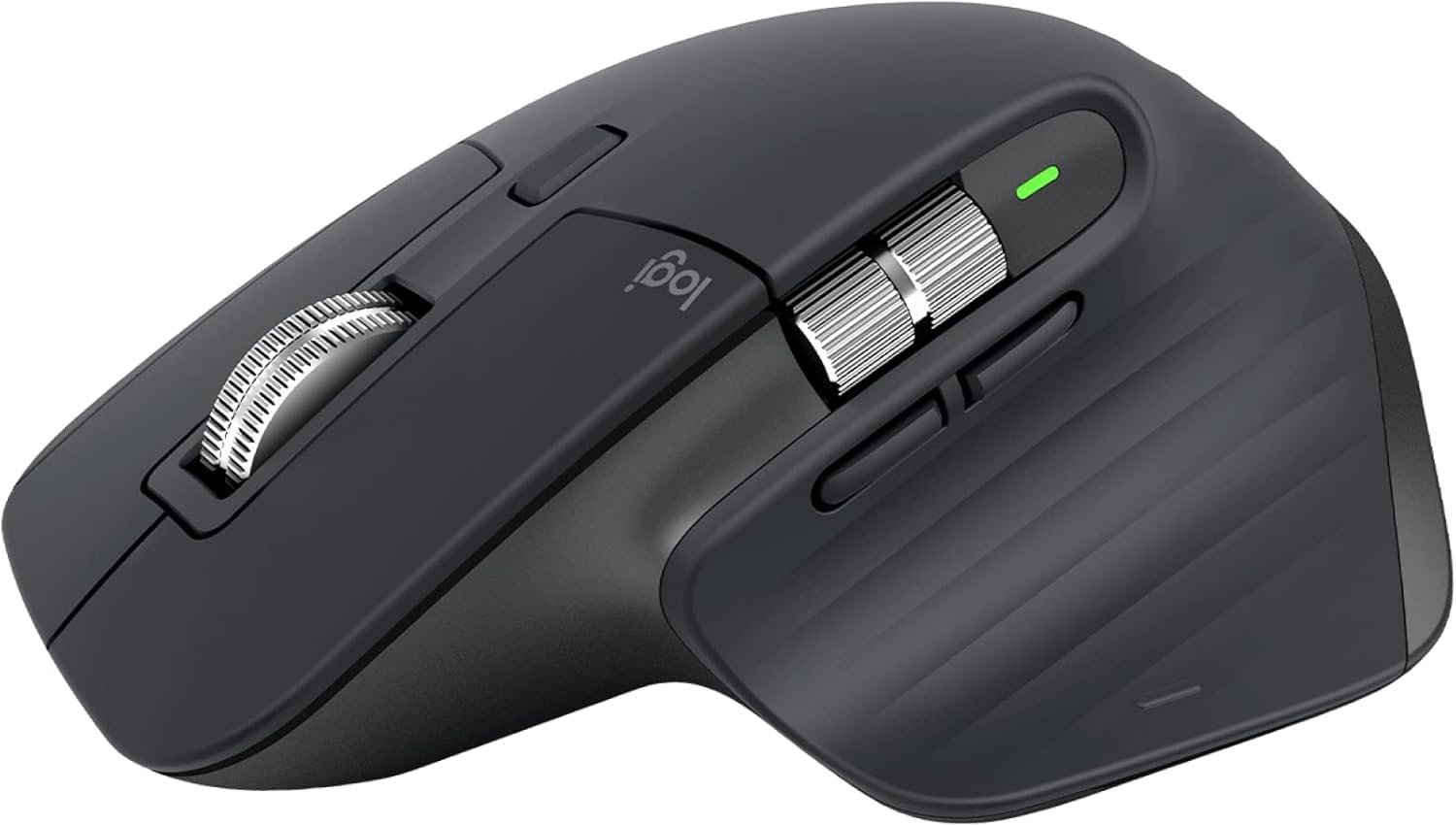
Logitech MX Master 3S Performance Wireless Mouse
4000 DPI sensor delivers unparalleled precision for graphics-intensive tasks.
Up to 70 days of battery life on a full charge means fewer interruptions.
Ideal for creatives and professionals needing seamless multi-device control.
Premium build quality with customizable features enhances user experience.
Logitech's trusted brand reliability ensures long-lasting performance.
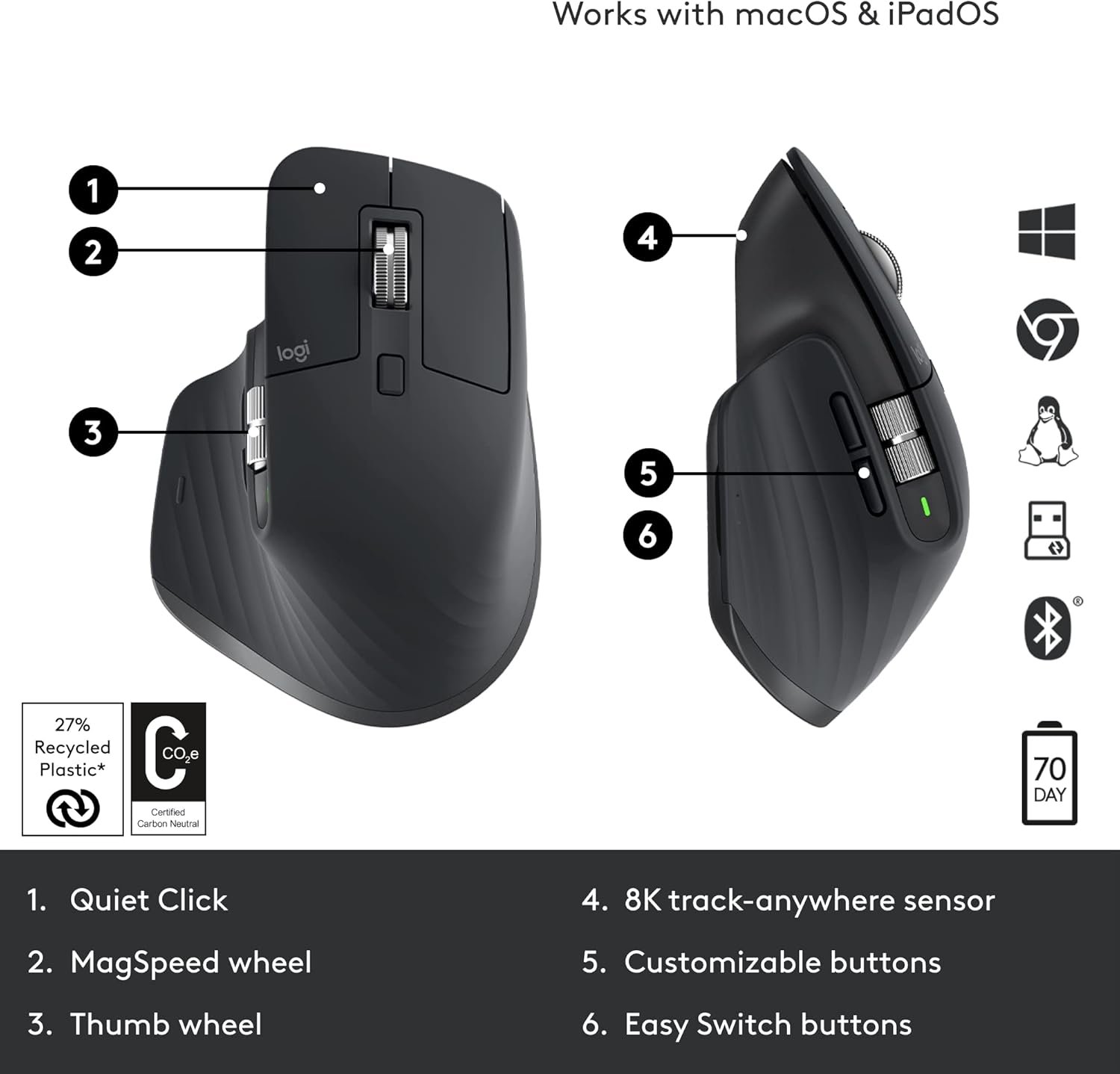
MagSpeed Electromagnetic scroll wheel offers a unique, smooth scrolling experience.
KEY SPECIFICATIONS
Price
$80.00
DPI
4000
Battery Life
Up to 70 days on a full charge
Weight
141 grams
Connectivity
Bluetooth and USB receiver
Buttons
7 customizable buttons
THE VERDICT
PERFORMANCE
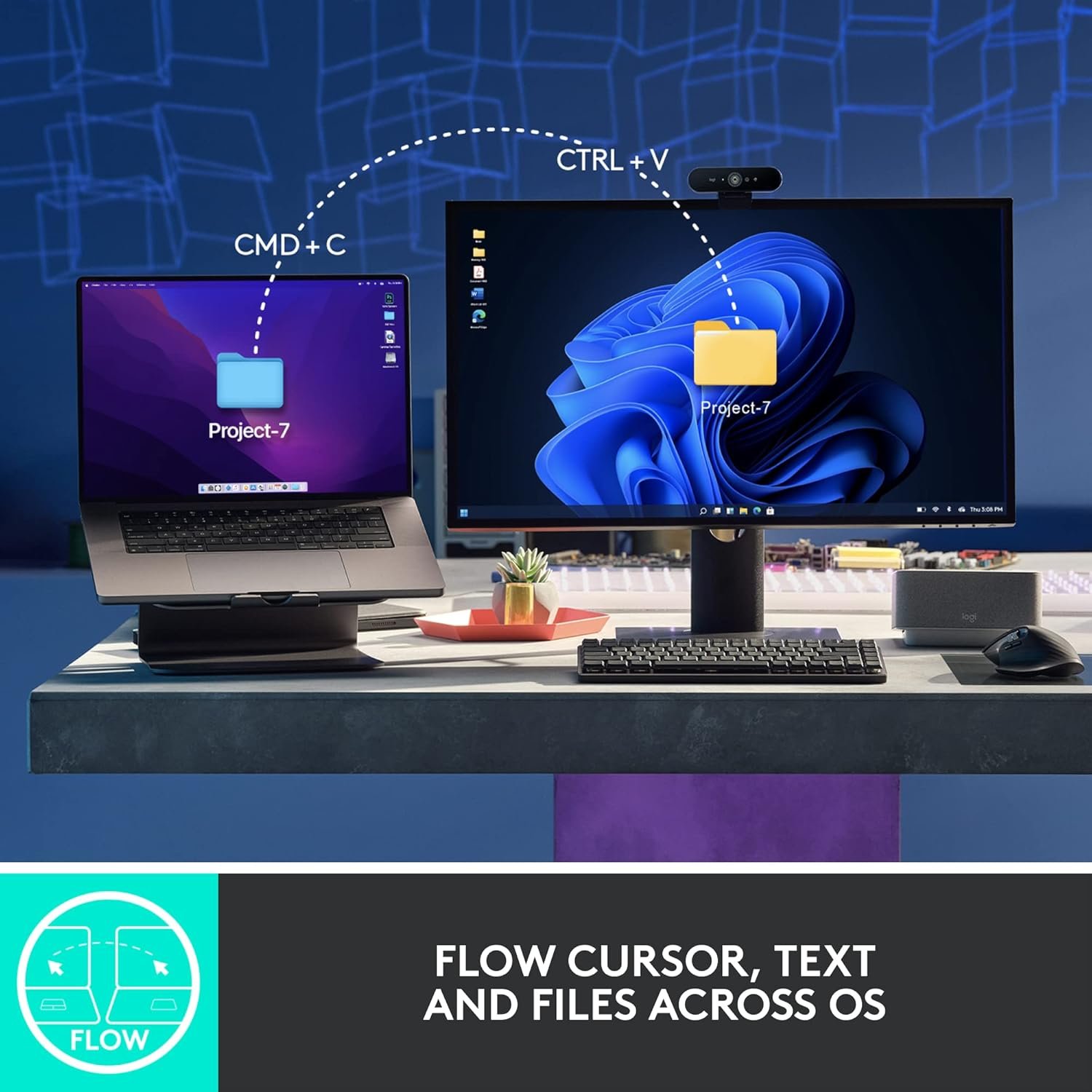
Click to enlarge - See the Logitech MX Master 3S Performance Wireless Mouse in action
But what truly sets this mouse apart is its incredible battery life. With up to 70 days on a full charge, you can forget about the hassle of constant battery changes. This feature is especially advantageous for users who may travel frequently or work in various locations, ensuring that the mouse remains functional without the need for frequent recharging. Moreover, a quick 1-minute charge can provide you with up to 3 hours of use, making it an ideal companion for those busy days.
The tactile experience of the MX Master 3S is second to none. The buttons are responsive, and the scroll wheel feels luxurious with its MagSpeed Electromagnetic technology. This innovative scroll wheel allows for hyper-fast scrolling, which is perfect for quickly navigating long documents or web pages. Users will appreciate the satisfying feedback from the buttons, which can be customized for various functions, allowing for a tailored experience.
FEATURES AND USABILITY
The design philosophy of the MX Master 3S is centered around user comfort and practical functionality. The mouse features a sculpted shape that fits naturally in your hand, reducing strain during long periods of use. The weight of 141 grams feels substantial without being cumbersome, providing a sense of stability while maneuvering.- Customizable Buttons: With 7 customizable buttons, users can assign specific functions to streamline their workflow. For instance, graphic designers can set one button for color picker and another for zooming in and out.
- Multi-Device Control: The ability to connect via Bluetooth or USB receiver means you can easily switch between devices. For example, if you're working on a laptop and need to switch to a desktop, the transition is seamless with just a button press.
- Ergonomic Design: The comfortable and sculpted design supports your hand and wrist, making it ideal for extended use without discomfort.
- MagSpeed Scroll Wheel: The unique scroll wheel not only allows for fast scrolling but also gives you precise control when needed, a feature that stands out in comparison to other mice in its price range.
- Compatibility: The MX Master 3S is compatible with both Windows and macOS, making it versatile for users with different setups.
- Logitech Options Software: This software allows for comprehensive customization of the mouse's features, including setting up gestures and adjusting the scrolling speed according to personal preference.
- Graphic Designers: The high DPI sensor and customizable buttons make it perfect for precision work in design software.
- Office Professionals: With its ergonomic design and long battery life, it’s a great fit for anyone who spends hours at a desk.
- Content Creators: The smooth scrolling and customizable features enhance video editing and rendering tasks.
- Multi-Device Users: Those who use multiple devices will appreciate the ease of switching between them seamlessly.
Day-to-day usability is top-notch. Setup is a breeze; simply plug in the USB receiver or connect via Bluetooth, and you're ready to go. The learning curve is minimal, as most users will find the interface intuitive thanks to the clear, customizable settings in the Logitech Options software.
WHO SHOULD BUY THIS
VALUE AND COMPETITION
At $80, the Logitech MX Master 3S sits comfortably in the premium category of wireless mice. While there are cheaper options available, such as basic wireless mice under $30, they often lack the advanced features and comfort that the MX Master 3S offers. In comparison, more expensive alternatives may provide additional features, but for most users, the MX Master 3S hits the sweet spot of performance and value. By opting for this mouse, you gain a reliable, feature-rich tool that enhances productivity without breaking the bank.OUR VERDICT
The Logitech MX Master 3S Performance Wireless Mouse excels in precision, comfort, and versatility, making it an outstanding choice for professionals and creatives alike. With its customizable features, long battery life, and ergonomic design, it's perfect for anyone looking to elevate their work experience. I confidently recommend the MX Master 3S; it’s a worthwhile investment that will serve you well for years to come.Product Gallery
Perfect For
⭐Home Users
🎯Professionals
💡Enthusiasts
🏆Everyone
FAQ
Is this good enough for professional use?
Absolutely! The MX Master 3S is designed for professionals, offering a high DPI of 4000 for precision tasks, along with customizable buttons that enhance workflow efficiency, making it perfect for graphic design, video editing, and office work.
How easy is it to set up?
Setting up the MX Master 3S is incredibly straightforward. You can connect it via Bluetooth or the USB receiver, and the Logitech Options software provides a user-friendly interface for customizing settings right out of the box.
How does it compare to alternatives or cheaper options?
Compared to cheaper alternatives, the MX Master 3S offers advanced features like a high DPI range, customizable buttons, and a more ergonomic design. Investing in this mouse means getting a product that enhances productivity significantly, which cheaper options simply cannot match.
What is the build quality like?
The MX Master 3S is built with premium materials that ensure durability and a high-quality feel. Logitech is a trusted brand known for its reliability, so you can expect this mouse to last through extensive use.
Is it suitable for gaming?
While the MX Master 3S is not specifically designed for gaming, its high DPI and customizable buttons can provide an excellent experience for casual gamers. However, hardcore gamers might prefer a mouse designed specifically for gaming with dedicated features.